
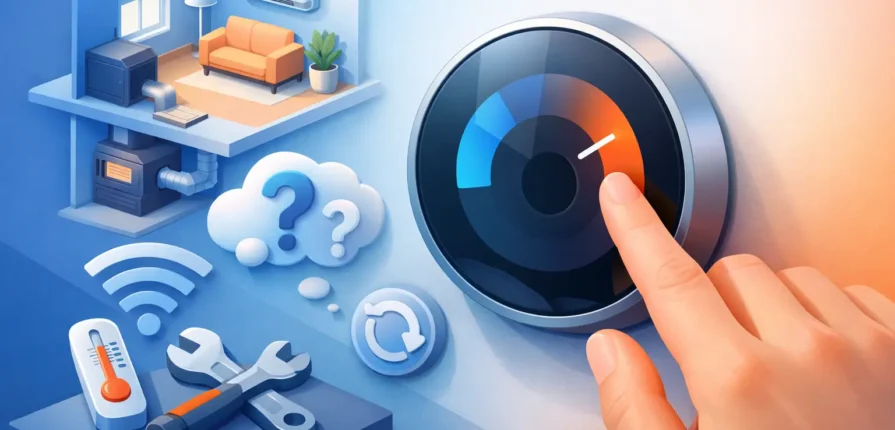
A thermostat that will not respond can make a small problem feel urgent fast, especially during an Ohio heat wave or a cold night. Knowing how to reset home thermostat controls can restore normal operation when the issue is a temporary glitch, dead batteries, or a lost setting. But a reset will not repair a failing furnace, air conditioner, wiring problem, or tripped safety switch. The key is knowing what to try safely and when to stop troubleshooting.
Before You Reset the Thermostat, Check the Basics
Start by looking at the thermostat screen. Is it blank, frozen, showing an error message, or simply not reaching the temperature you selected? Those details matter. A blank display often points to batteries, a tripped breaker, or a power issue at the HVAC equipment. A working display with no heating or cooling may be a settings issue, a delay timer, or an equipment problem.
Make sure the thermostat is set to the correct mode. For cooling, choose Cool and set the temperature at least 3 to 5 degrees below the current room temperature. For heating, choose Heat and set it several degrees above room temperature. Set the fan to Auto rather than On unless you intentionally want the blower to run continuously.
Then give the system a few minutes. Many modern thermostats and HVAC systems have a built-in compressor protection delay. After changing settings or restoring power, your air conditioner may wait up to five minutes before starting. Repeatedly changing the setting during that delay does not make it start sooner.
How to Reset Home Thermostat Controls Safely
The right reset method depends on the type of thermostat you have. Always avoid pulling wires, removing a thermostat from its wall plate roughly, or opening the furnace or air handler if you are not comfortable working around electrical equipment.
Replace the Batteries First
If your thermostat uses batteries, replace them with fresh batteries before attempting a deeper reset. Low batteries can cause a dim screen, inaccurate readings, random resets, or a thermostat that will not communicate properly with the HVAC system.
Remove the thermostat face carefully if the battery compartment is behind it. Take a quick photo of the screen settings first if you want to restore a schedule afterward. Install the batteries in the correct direction, snap the face back into place, and wait a minute for the display to restart.
Some thermostats use batteries only as backup power. Even so, changing weak batteries is a simple first step that can rule out a common cause.
Use the Thermostat’s Reset Menu
Programmable and smart thermostats often have a reset option in their on-screen settings. Look for a menu labeled Reset, Restart, Device Settings, Preferences, or Factory Reset. A standard restart usually reboots the device while keeping your schedule and Wi-Fi settings. A factory reset clears saved schedules, network information, and account connections.
Choose a standard restart first when it is available. Use a factory reset only if the thermostat is frozen, will not connect to its app, or continues acting unpredictably after simpler steps. Once the thermostat restarts, set the date, time, system type, and heating or cooling schedule correctly. Incorrect setup can cause short cycling, poor comfort, or a system that does not run as expected.
Reset Power at the Breaker When Appropriate
If the thermostat screen is blank and fresh batteries do not help, check the electrical panel for a tripped breaker. HVAC equipment may have separate breakers for the furnace or air handler and the outdoor AC unit. A breaker that is clearly in the middle position may be tripped.
Turn it fully to Off, then back to On once. Return to the thermostat and wait several minutes. If the breaker trips again, do not keep resetting it. A breaker that will not stay on can signal an electrical fault, a failing component, or a problem inside the equipment that needs professional diagnosis.
You may also find a service switch near the furnace, air handler, or basement steps. It can look like a regular light switch and is sometimes turned off by mistake. Confirm it is on, but do not remove access panels or touch exposed components.
Reset a Wi-Fi Thermostat Connection
When the HVAC system works but the app will not connect, the problem may be the thermostat’s Wi-Fi connection rather than the heating or cooling equipment. Restart the thermostat first, then confirm your home network is operating normally. If needed, reconnect the thermostat through the manufacturer’s app.
Avoid factory-resetting a smart thermostat just because the app is offline. It can create more setup work without fixing an underlying HVAC problem. If the screen is working and the system responds to manual temperature changes, your comfort equipment may be fine.
What a Thermostat Reset Will Not Fix
A reset is useful for control issues, but it is not a cure-all. If the thermostat calls for heat or cooling and nothing happens, the problem could be with the furnace, air conditioner, heat pump, condensate drain, blower motor, capacitor, contactor, ignition system, or low-voltage wiring.
For example, an AC system may stop because a clogged condensate drain triggered a safety switch. Turning the thermostat off and back on will not clear the drain. A furnace may fail to heat because of a dirty flame sensor or ignition issue. Resetting the thermostat might make the system attempt another start, but it will not correct the failed part.
Do not ignore unusual signs while troubleshooting. Burning smells, buzzing, popping noises, water around the furnace or air handler, a repeatedly tripped breaker, or an outdoor unit that hums but will not start all call for service rather than more resets.
If the Thermostat Is Still Not Working
After a reset, test the system one mode at a time. If you are checking cooling, set the thermostat to Cool, lower the setpoint, and listen for the indoor blower and outdoor unit after the normal delay. For heat, raise the setpoint and listen for the furnace or air handler to start.
Check the air filter while you are at it. A severely clogged filter can restrict airflow, cause overheating, and lead to shutdowns. Replace a dirty filter with the correct size and type, but do not assume a new filter solves every no-heat or no-cool call.
It also helps to check vents and registers. Keep supply vents open and make sure furniture, rugs, or stored items are not blocking return grilles. Closed vents and poor airflow can make some rooms uncomfortable, though they usually do not explain a completely unresponsive thermostat.
When to Call an HVAC Technician
Call for professional help if the thermostat has power but the system will not start, the breaker trips again, the thermostat repeatedly loses settings, or the home is not holding temperature. Property managers should act quickly when a tenant reports no heat, no cooling, electrical smells, or water near HVAC equipment. Waiting can turn a manageable repair into a larger equipment failure or water damage issue.
A trained technician can determine whether the thermostat is actually at fault or whether the real problem is in the equipment, electrical circuit, safety controls, or wiring. That diagnosis matters before replacing a thermostat, since installing a new one will not fix a failed furnace control board or an AC component problem.
Professional Trade Service helps homeowners and property managers address thermostat and HVAC issues with straightforward diagnostics and dependable repairs. If your reset does not bring the system back, getting the right answer quickly is better than guessing at parts.
A thermostat reset is a sensible first move when the screen freezes, batteries die, or settings get scrambled. If the system still will not heat or cool after the basic checks, leave the repeated resets behind and have the equipment checked before comfort and safety become bigger problems.
Recent Comments